
Full screen or grid. Your feed, rehung.
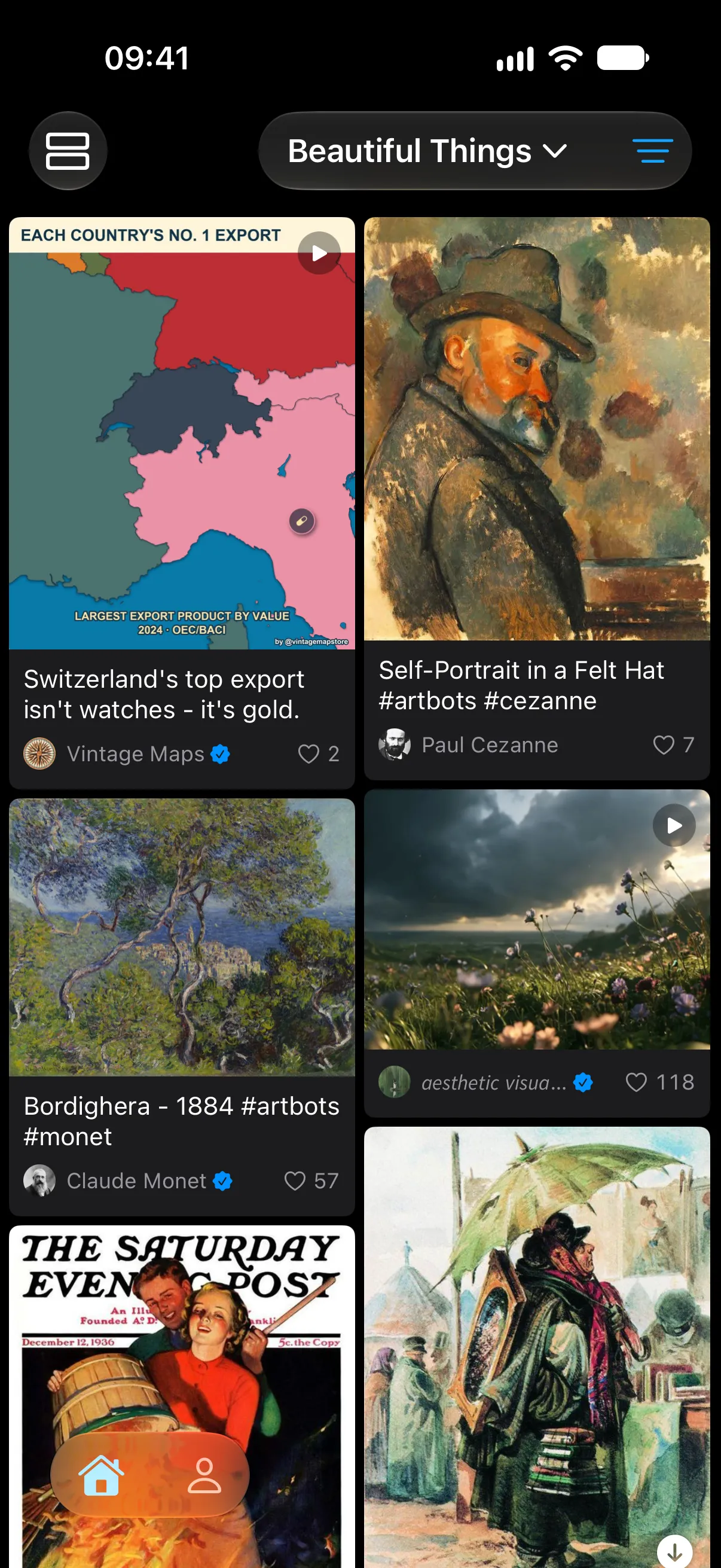
TweeTok shows the photos and videos from the accounts you follow on X one post per screen, or as a two-column grid you can scan in seconds. Switch with one tap.
Free for iPhone, iPad and Apple TV
Pro is free during the beta
What’s on the wall
Every screen below is the real app. The labels say what each feature does and where it’s available.
One post per screen
iPhone, iPad, Apple TV, Android
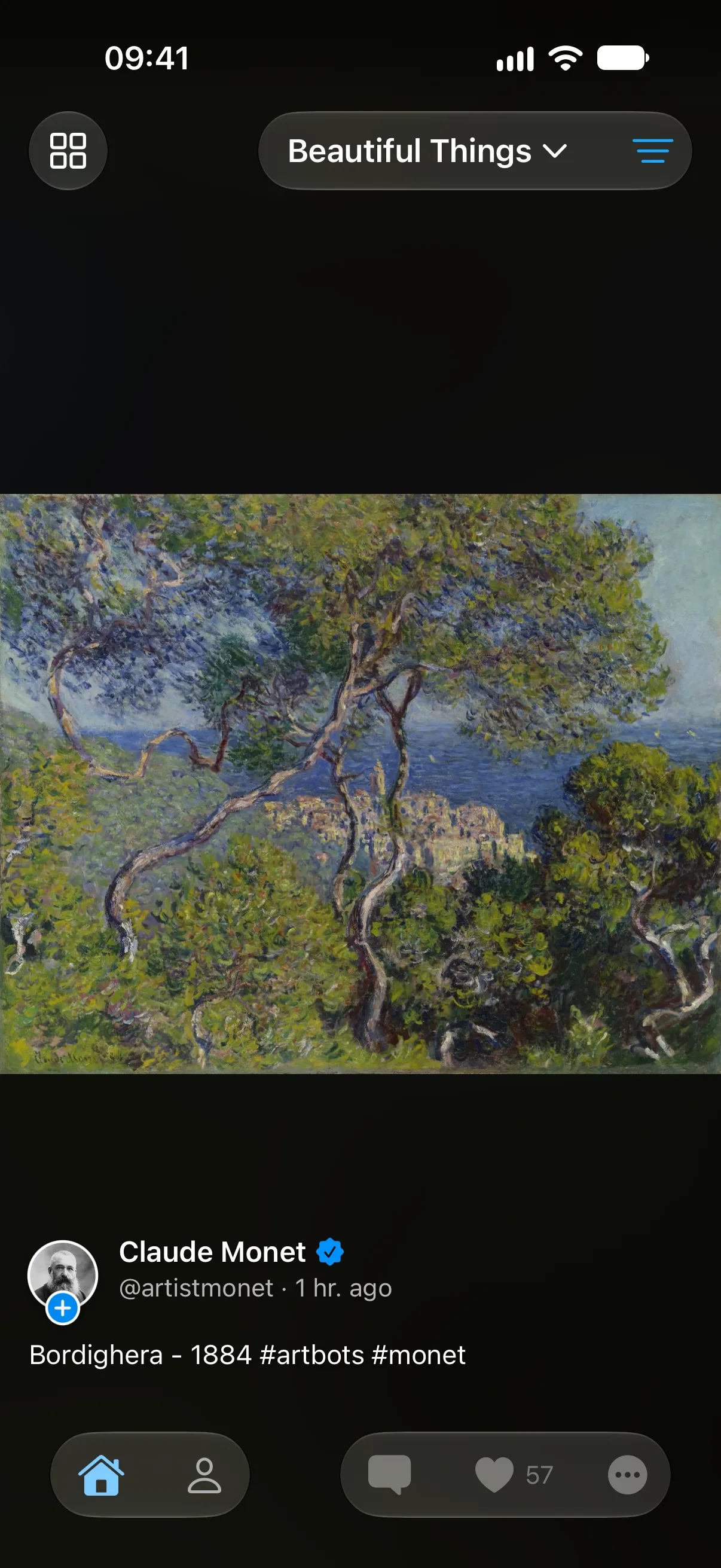
Swipe up or down to move between posts, like a short-video app. Videos play as they arrive, multi-image posts swipe sideways, and the next posts are already loaded.
- Free
Two-column grid
iPhone, iPad, Apple TV, Android
Scan a whole timeline at a glance. Tap a card and it opens to full screen from where it sits; swipe right and it goes back.
- Free
Timelines and lists
iPhone, iPad, Apple TV, Android
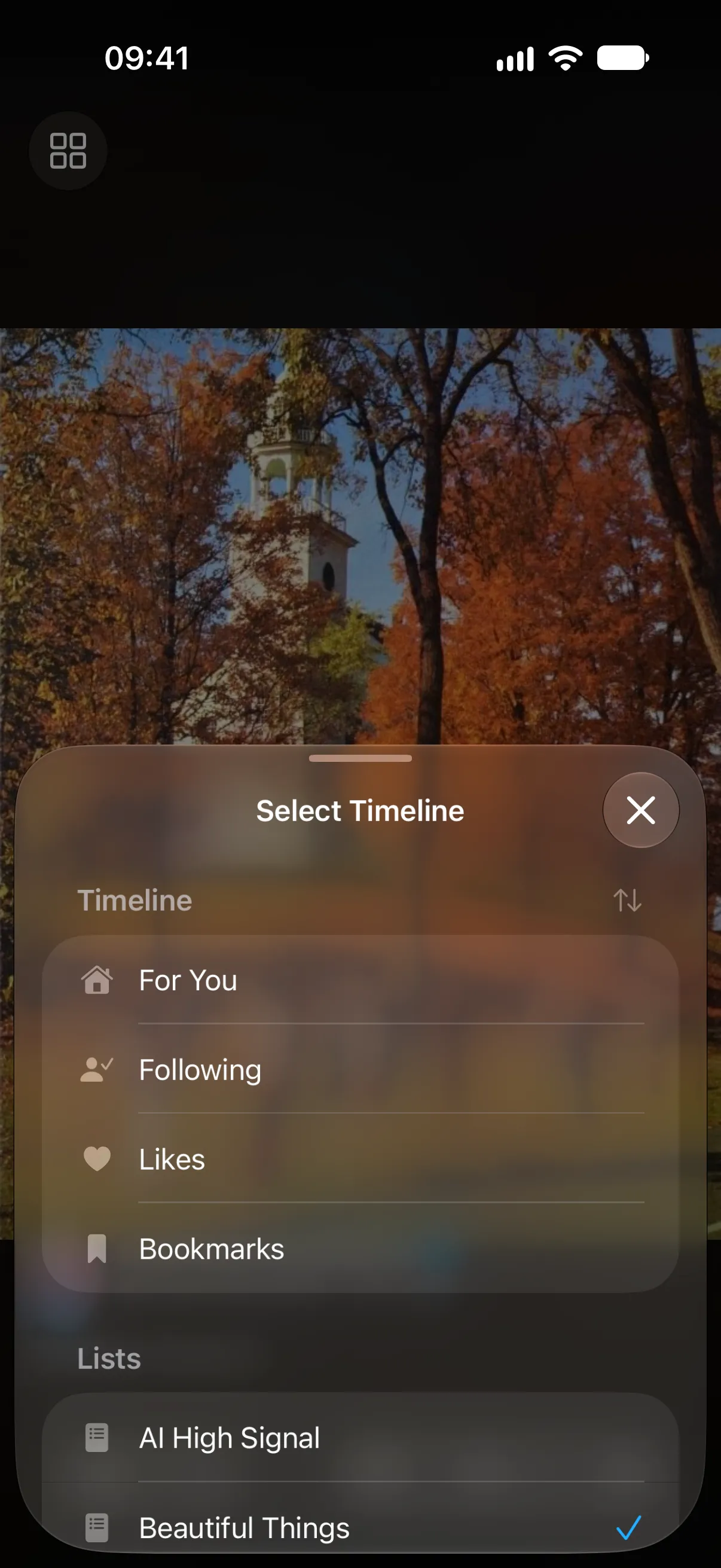
For You, Following, Likes, Bookmarks and every list you made or follow, one tap away. TweeTok remembers where you stopped in each.
- Free
Filters
iPhone, iPad, Apple TV, Android
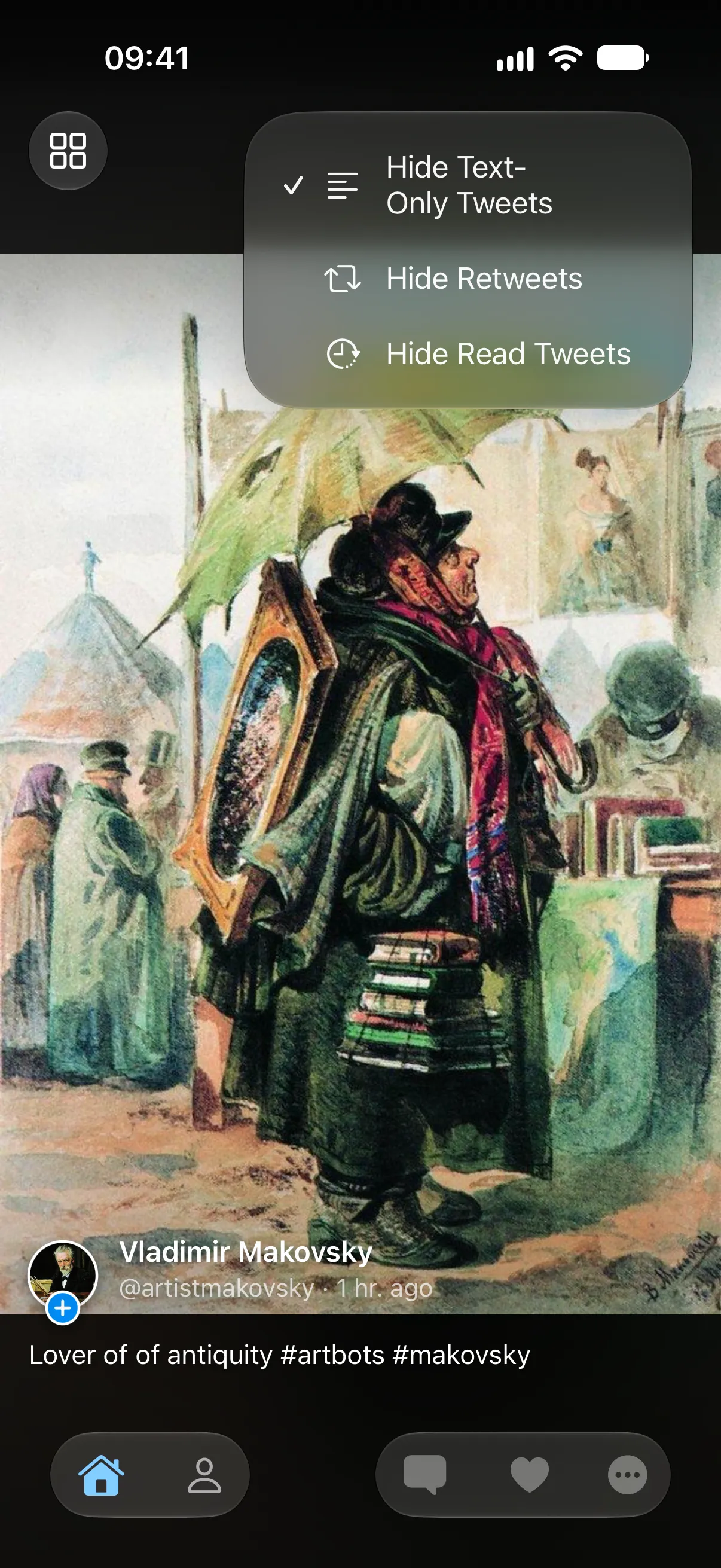
Hide text-only posts and reposts so the feed is all pictures and video. Pro also hides posts you’ve already seen and remembers filters for each timeline.
- Free
- Pro
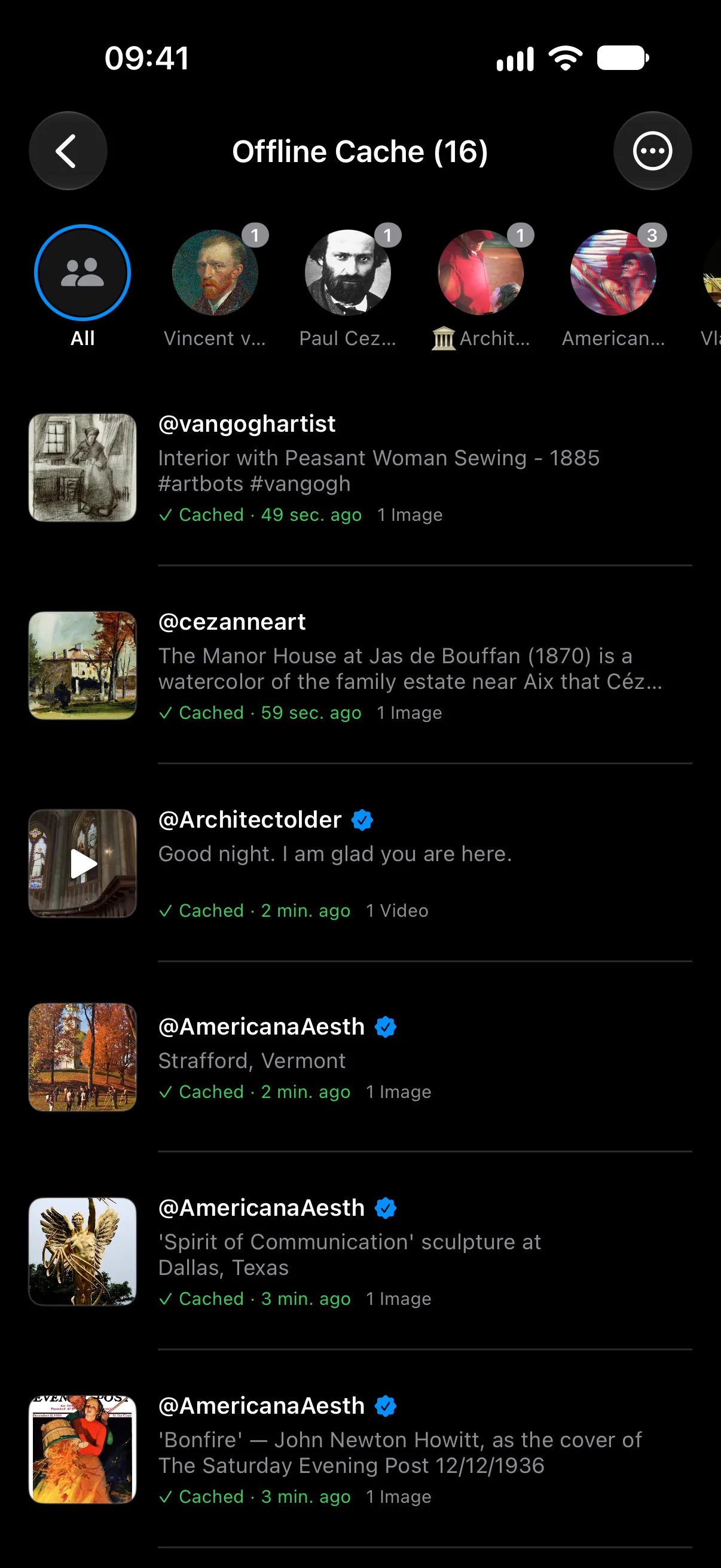
Offline cache
iPhone, iPad, Android
Save posts and their images to your device and read them on a plane or a bad connection. Filter what you saved by author.
- Free
- Pro
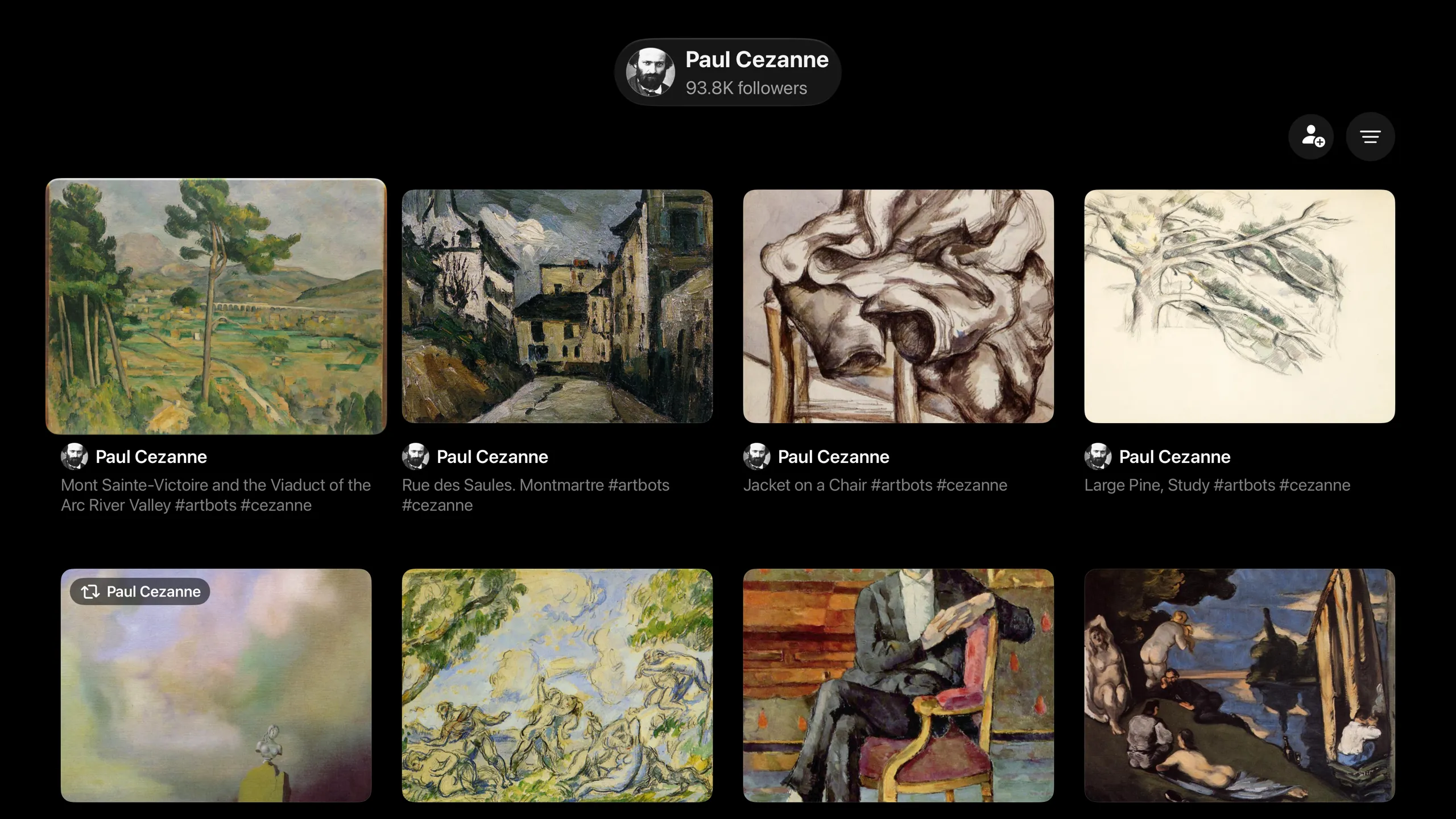
Apple TV
Apple TV
Scan a code with your iPhone and your account is on the TV. Watch one post at a time, or switch to a grid and pick what to open with the Siri Remote.
- Pro
And the everyday things
Translation
Posts in other languages are translated in place, so you don’t open each one.
Likes, replies and bookmarks
Like, bookmark, repost, quote and reply without leaving the app. Double-tap to like.
Add to a list
Put an author into one of your lists from their post, in one tap.
Five languages
English, 日本語, 한국어, 繁體中文 and 简体中文.
Your login stays on your device
- You sign in on X’s own web page. TweeTok never sees your password.
- Your sign-in is encrypted and stored only on your device, in the iOS Keychain or Android’s secure storage. It is never uploaded to a server.
- Sign out at any time to remove the account and its data from the device.
Free to use. Pro is a one-time purchase.
One purchase. All future Pro feature updates included. No subscription.
| Feature | Free$0 | Pro$9.99once |
|---|---|---|
| Full-screen and grid views | ||
| Timelines and lists | ||
| Translation | ||
| Likes, replies and bookmarks | ||
| Hide text-only posts and reposts | ||
| Offline cache | Up to 5 posts | Unlimited |
| Hide posts you’ve seen, filters per timeline | ||
| Multiple accounts | ||
| Apple TV pairing | ||
| Cloud sync with your own NAS or WebDAV |
US price. The App Store shows the price for your region before you buy. Purchases on iOS and Android are separate.
Questions
Is TweeTok an official X app?
No. TweeTok is an independent app made by an independent developer. It is not affiliated with, endorsed or sponsored by X Corp. You need your own X account to use it.
Is TweeTok free?
Yes. Browsing, both views, timelines, lists and translation are free. Pro is a one-time purchase that adds unlimited offline cache, Apple TV, advanced filters, multiple accounts and cloud sync.
Does TweeTok see my password?
No. You sign in on X’s own web page inside the app. TweeTok keeps only the resulting sign-in on your device, encrypted, and never sends it to a server.
Which devices does it run on?
iPhone, iPad and Apple TV, from the App Store. The Android app is in beta on Google Play, and anyone can join.
Do I need to buy Pro again for Apple TV?
No. The Apple TV app is a free download. Pairing it with your iPhone needs Pro on the iPhone.
Does a purchase on iPhone unlock Pro on Android?
No. The App Store and Google Play handle purchases separately, so Pro unlocks on the platform where you bought it.
See your feed the way it was meant to be seen.
Download TweeTok for free. Pro is there when you want more.
Free for iPhone, iPad and Apple TV
Pro is free during the beta